We had a baby. Like every sleep-deprived parent we reached for an app to log the feeds, the diapers and the naps, the stuff you genuinely cannot remember at 4am when the pediatrician asks “and how often is he eating?”. I downloaded a few of the popular ones, started reading their privacy policies, and quietly closed all of them.
Because here is the thing nobody puts on the App Store screenshot: a baby tracker is one of the most intimate datasets a family ever produces. Feeding times, sleep patterns, weight curves, health events, minute by minute, for years. I worked a week for a telemarketing company before realizing that this was against my own values. These company do data-marketing and profiling for a living, and the industry is really good at it. I did not want my son to have a behavioural profile before he could walk. So I built my own, used it at home, and then made it public to share with colleagues. This is that story, and it is at least as much about how I built it as what I built.
This was a vibe-coding experiment. I wanted to see how far today’s AI coding tools could carry a real, deployed, privacy-serious product, and where they could not, forcing me to put the engineer hat back on.
The thing itself, in one picture
flowchart LR
  subgraph CLIENT["📱 app (Expo / React Native)"]
    UI["log feed · nap · diaper"] --> ENC["encrypt on device<br/>AES-256-GCM"]
    ENC --> DEC["decrypt + compute<br/>stats locally"]
  end
  ENC -->|"ciphertext only"| API["FastAPI"]
  API --> DB[("MongoDB<br/>opaque blobs")]
  API -->|"never sees<br/>plaintext or keys"| API
  CADDY["Caddy · auto-TLS"] --> API
  CADDY --> WEB["static web build"]
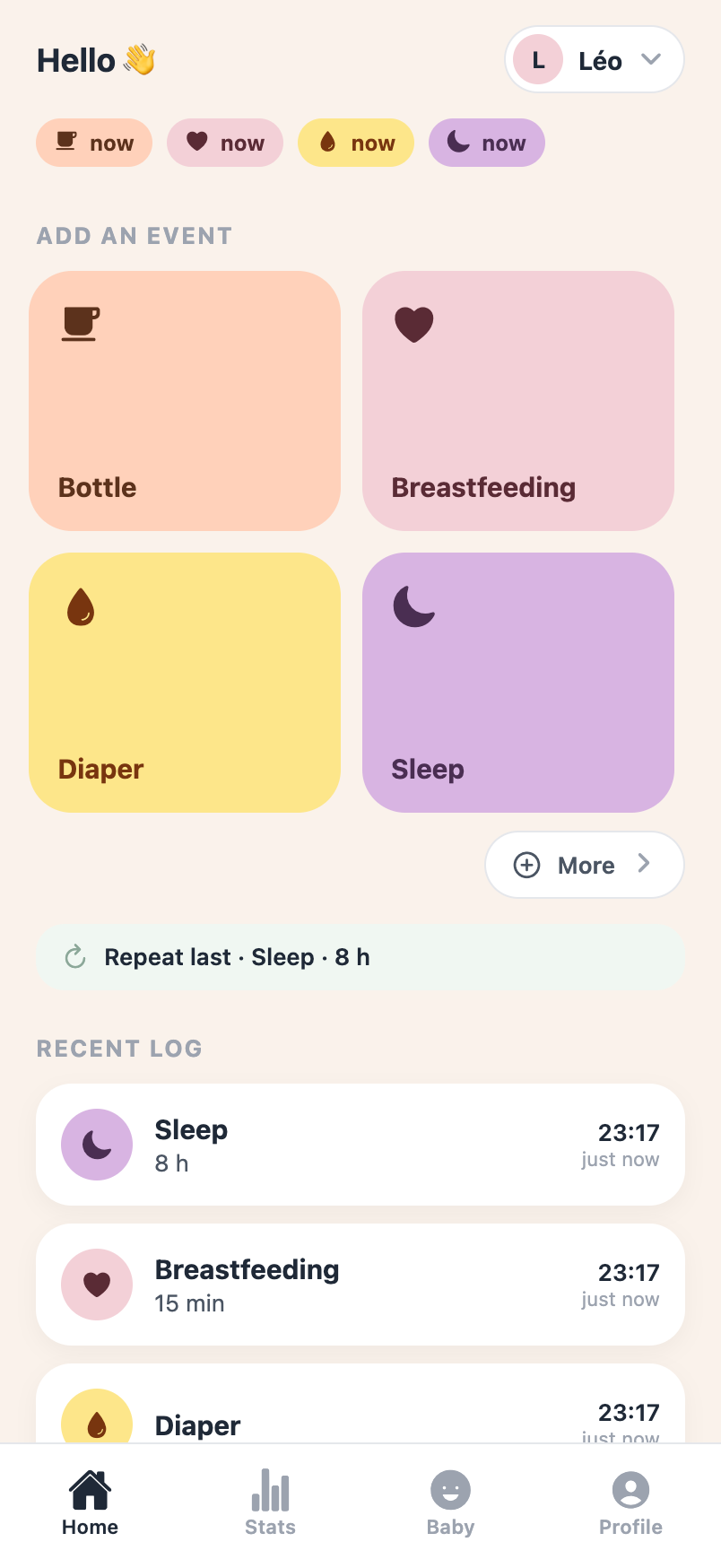
It is deliberately small: an Expo (React Native) app that runs on the web and on phones, a single-file FastAPI backend, and MongoDB. The whole product fits in a few files. The one hard constraint: the server only ever stores ciphertext it can’t read. More on that, and its honest limits, below.
Step 1: a prototype on Emergent
I started on Emergent, an agentic “describe-it-and-it-builds-it” platform, to draft the interface and the core interactions. For a first prototype it shines: you watch the app come alive as you describe it, poke at it, refine. Hard to beat for going from nothing to “oh, that’s the shape of it”.
But the cracks showed fast, I quickly felt captive of te environement and the marketing “credits” sales messages did not help :
- it makes a lot of architecture choices for you, not always the ones you’d make;
- it leans on its own libraries and conventions, so you build on a base you don’t fully control;
- it’s costly: the welcome credits evaporated after a handful of features;
- it’s a captive environment: deploying and owning the thing on your own terms isn’t really the point.
Perfect for a prototype. Not so much for a real application if your pockets are empty…
Step 2: Claude Code, locally, to take back control
So I pulled the code down and pointed Claude Code at it locally, with one first job: remove every proprietary, Emergent-specific dependency and make it run on open-source pieces only. It worked like a charm; the app ran fully locally within an afternoon, and I kept iterating from there.
Three things made it fast:
- Serena to navigate the code. Instead of grepping around and re-reading whole files, the agent used a language-server index to jump straight to symbols and references. Also prevented me from butning oll my claude code budget just reading the project.
- Cheaper models for the grunt work. The expensive model plans; a fleet of smaller, cheaper agents do the mechanical edits in parallel. You don’t need a frontier model to rename a prop across ten files.
- Tests early. A backend test suite well before the app was “done” is what later let me change the entire data model without holding my breath.
I would not have done such a change on a side project. Too much grunt work, I would not have felt like learning anything interresting (yep I am picky at learning). But Claude really helps for this kind of task.
Step 3: the privacy spine, end-to-end encryption
If I do not feel confortable having Medimarketers read my children’s private data, I also did not want to have this kind of resposibility (I am not Spider Man), and I wanted to explore cryptography.
Indeed, I have had to run/fix/maintain quite.a few infrastructures in my carree despite never beeing an infra guy. I renember the old times when you had to buy your certificates, yep youngsters, that was berfore Let’s encrypt’s magic ! I have been the firefighter changing certificates on new years eves because some guy forgot that certificates do expire…
An I always found it facinating yet cumbersome. Well hello Claude, lets work together would you ?!
The goal: the server stores our baby’s data but cannot read it. Not “we promise not to look”, but “we don’t hold the key” (with one honest caveat I will get to).
flowchart TB
  PW["password + salt"] -->|"PBKDF2 600k"| MK["master key<br/>(same on every device)"]
  MK -->|HKDF| AUTH["auth key →<br/>sent to server (bcrypt'd)"]
  MK -->|HKDF| KEK["key-encryption key"]
  DEK["random data key (DEK)"] -->|"AES-256-GCM"| CONTENT["every feed / nap / note"]
  KEK -->|"wraps (encrypts)"| DEK
  REC["one-time recovery key"] -->|"also wraps"| DEK
Wrap just means encrypt one key with another. On your device, a random data key encrypts your content, and your password then wraps (encrypts) that data key. So the server only ever holds unreadable pieces:
- your logs as ciphertext;
- the data key, wrapped by your password (plus a spare copy wrapped by a one-time recovery key, in case you forget it);
- a hash of an auth key, just to log you in;
- a salt and a blind index of your email, neither of them secret.
Your password, and the keys it builds, never reach the server. No password, no decryption.
Here is what it looks like as a feed gets logged: readable on the phone, gibberish the instant it leaves, readable again only back on the device.
··········So how do you read your data on a new phone, if the server never had your password? The key that wraps your data isn’t stored and isn’t random: your password plus that (non-secret) salt rebuild the exact same key every time, on any device. The new phone fetches the salt, you type your password, it regenerates the key and unwraps your data locally. Same idea as 1Password or Bitwarden.
$2b$ho9…🔒 wrappeduseless without your password
One honest caveat, because this is a web app. Against the threat I cared about most, a database dump, the server only has ciphertext. But it isn’t absolute: the key is cached on the device for convenience, and the app’s code is served fresh each visit, so a compromised server could in theory grab it. Call it breach-resistant, not “impossible for anyone but me”. The real zero-knowledge version is the native app (signed, key in the phone’s secure storage); come back in a year, or buy me enough coffee to clear Apple’s paywall. Even against a leak, this already beats the trackers I closed.
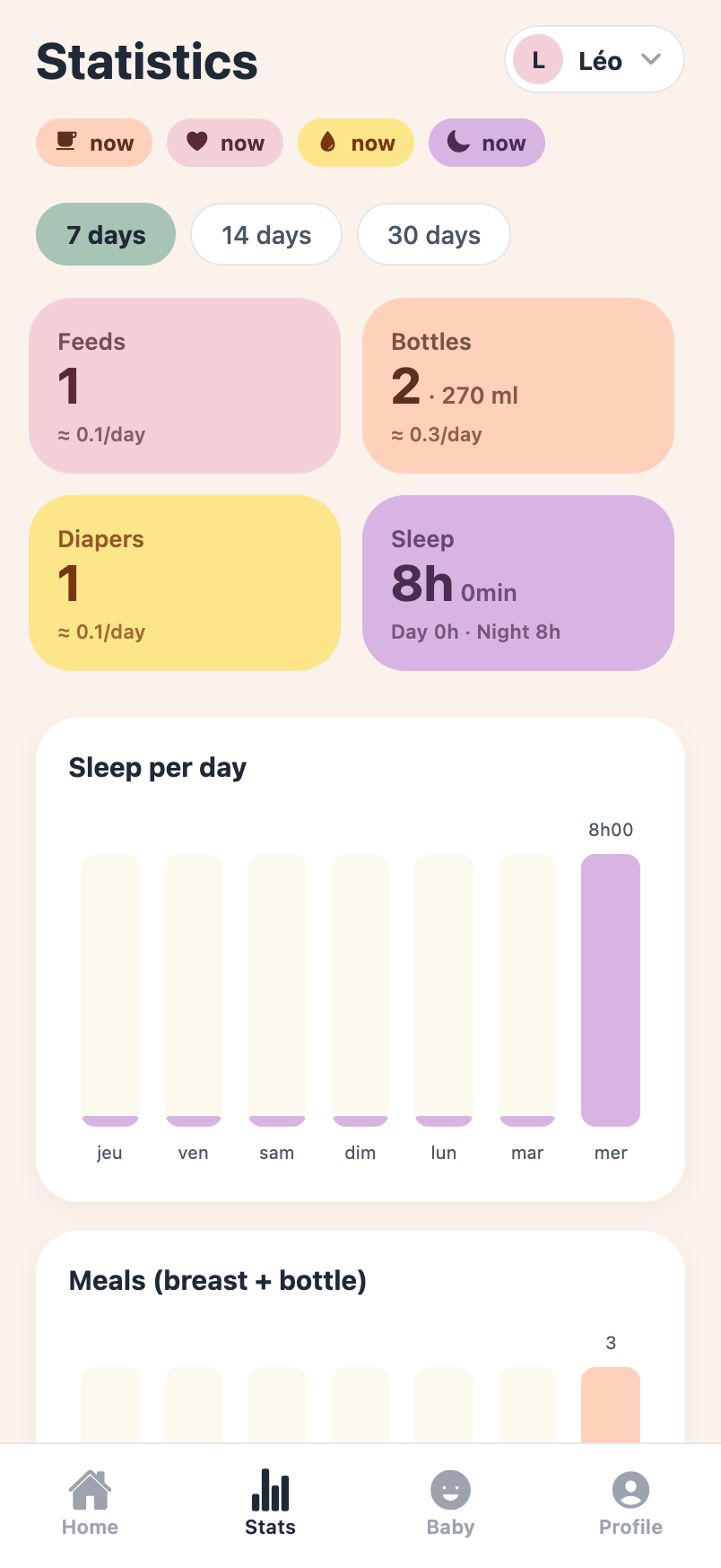
A nice side effect: since the server only sees ciphertext, every stat (daily averages, day/night sleep, WHO weight percentiles) is computed on the device after decrypting. Inefficient, but private. No free sandwich…
On top of that, the GDPR basics most apps treat as an afterthought: explicit consent at signup, one-tap data export, and real account deletion that cascades and actually erases everything. Being the data controller of my own family’s data is the whole point.
Step 4: deploy it like I mean it
No clicking around a dashboard. The whole thing ships to a small ARM VM through an Ansible role, the same way I run my other projects:
flowchart LR
  GIT["git push"] --> ANS["ansible role"]
  ANS --> CLONE["clone on server"]
  CLONE --> BUILD["docker build<br/>backend + web"]
  BUILD --> UP["compose up:<br/>mongo · api · static"]
  ANS --> SNIP["drop Caddy site<br/>(auto-TLS)"]
  ANS --> SECRETS["generate JWT + blind-index<br/>keys, once"]
Caddy handles TLS automatically and reverse-proxies the API and the static web build; secrets are generated on first run and never touch git; metrics go to a Prometheus/Grafana stack I already had. A release is a
git push and one tagged Ansible run. It’s live at
babycare.uningenieur.fr.
Step 5: then just iterate
With the spine in place, the rest was a loop of small improvements, mostly driven by the toughest QA team I have (my wife):
- “Too many icons.” I looked at what Huckleberry, Baby Daybook and the rest actually do, and cut the home screen to the four things you log at 3am, with the rest behind a “More” sheet, plus a one-tap “repeat last”.
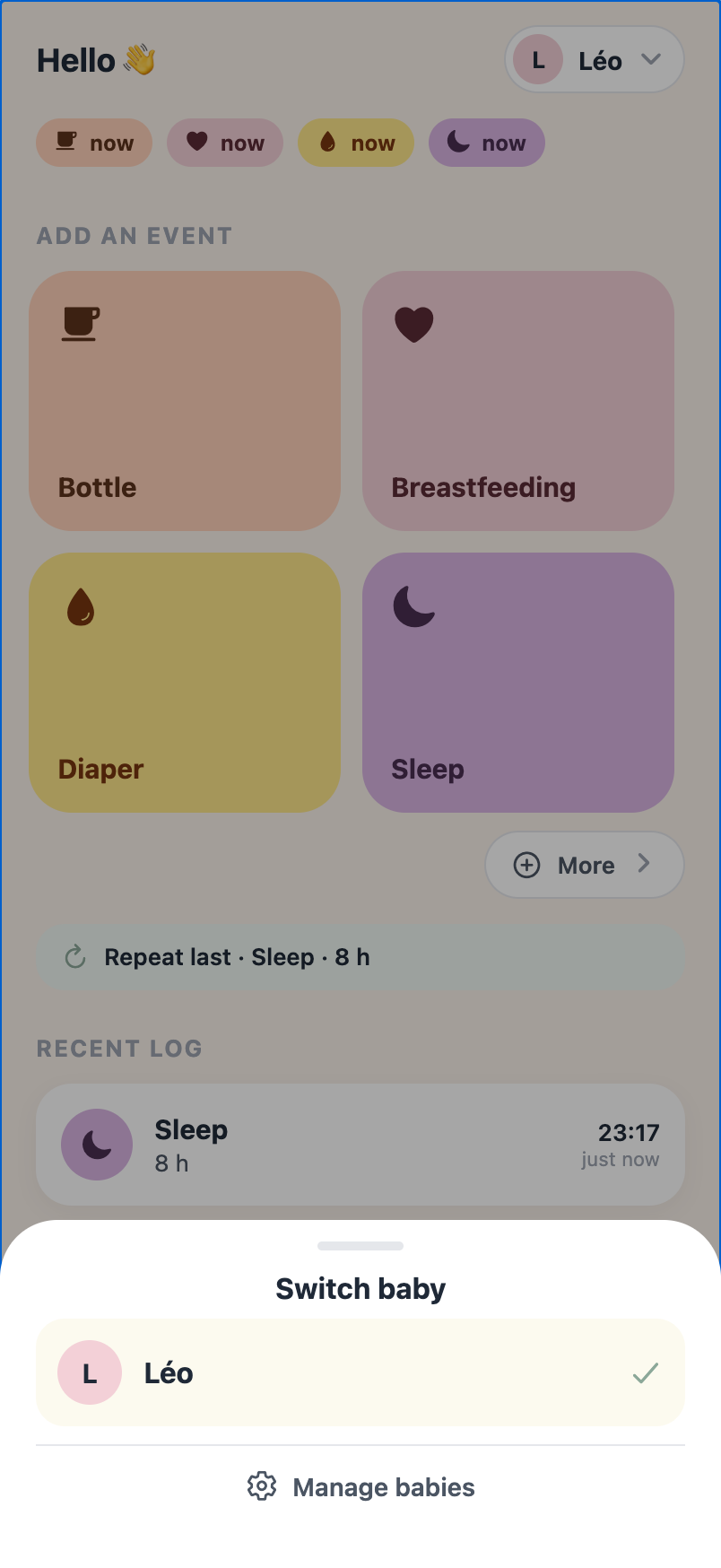
- “Where do I switch between the twins?” The baby switcher wasn’t discoverable, so it became an obvious pill with a chevron and a proper picker sheet.
- Internationalisation in four languages, a real date picker, hour-scale sleep durations (a full night isn’t “90 min”), growth charts. Each one small, tested, deployed.
None of these are clever. All of them are the difference between an app you tolerate and one a tired parent actually keeps using.
What I actually learned
- Vibe-coding gets you a long way, but you still need the expertise. The tools were astonishing for scaffolding, refactoring and the mechanical 80%. The decisions that mattered (the crypto design, what the server is forbidden to know, where to draw the line on simplicity) leaned entirely on knowing what I was doing; without that you don’t even know which questions to ask. Paid tiers and bigger models buy more runway, but only so far: past a point, the result is only as good as the engineer steering it.
- Owning your environment is worth the detour. The hosted prototype was the fastest start and the wrong place to finish. Pulling it local cost an afternoon and bought total control.
- Privacy is a day-one design choice, not a setting you opt on. It is a strong design choice that leads to important limitations. You have to think it though at first.
It does one small thing, help two exhausted parents remember when the baby last ate, without quietly turning our son into a data point. For a side project built in evenings, I’m happy with that.
Stack
Expo / React Native · expo-router · TypeScript · @noble crypto
(PBKDF2 · HKDF · AES-256-GCM) · i18n-js · FastAPI · MongoDB · JWT ·
bcrypt · Docker · Caddy · Ansible · Prometheus / Grafana ·
built with Claude Code + Serena, prototyped on Emergent.
If you’re building something privacy-first, curious about the vibe-coding workflow, or just want to compare baby-tracker war stories, I’d genuinely enjoy talking it through. Come find me on LinkedIn.